
There are thousands of addons for WoW Forever, and you don’t need most of them. This is where we collect the ones that actually make the game better. Every addon gets its own box, with what it does and why we picked it. The list grows as we test more.
How to install addons
- Download the addon from CurseForge or WoWInterface. Pick the file made for Forever – a regular Classic version often won’t work.
- Extract the folder to
World of Warcraft/_forever_/Interface/AddOns/. - Restart the game and make sure the addon is ticked under AddOns on the character select screen.
Spoken
- Immersion
How it works:
- Quests and gossip get voiced. NPCs read their quest text and what they say when you talk to them.
- Zone lore. When you enter a new zone, the story of the place is read to you. The map also shows lore about the zone, with a play button.
- Books, letters and bosses. Spoken also reads the books, letters and plaques you find around the world, and tells the story of the bosses in dungeons and raids.
- You choose how it looks. Subtitles only, a small window with a portrait, a larger window, or just the voice. If you use DialogueUI, Spoken can use that too.
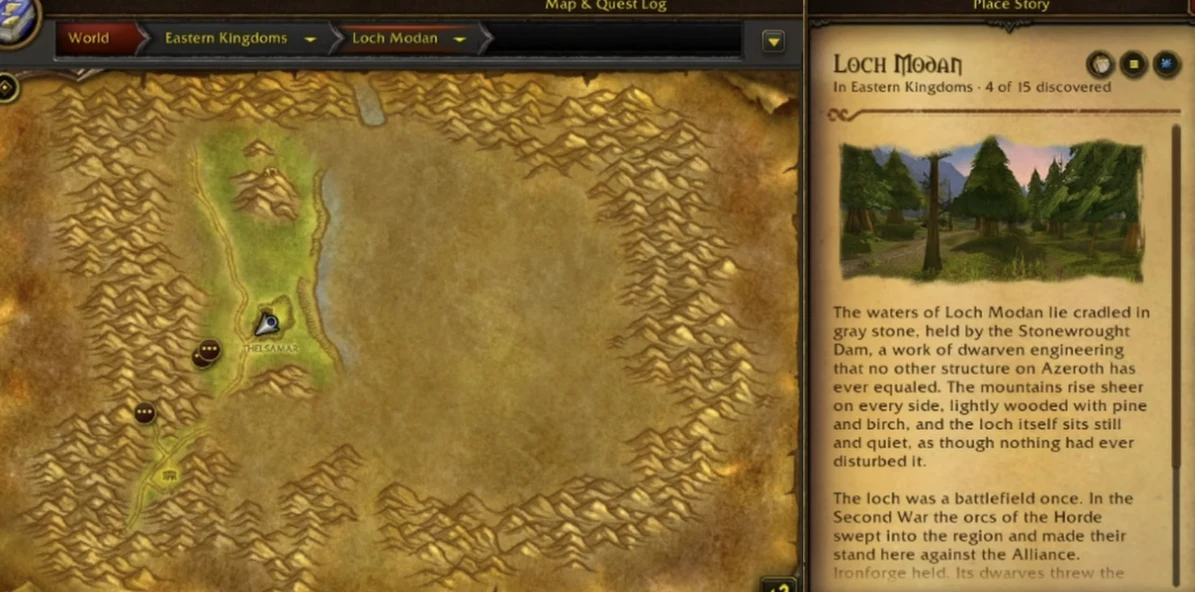 The map shows lore about the zone. Press play and it’s read to you.
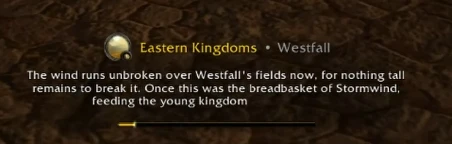 When you enter a new zone, the story of the place is read to you.
Why we picked it: Yes, these are AI voices, but I was pleasantly surprised by how good they sound. A dwarf really sounds like a dwarf. For me, this is the addon at the top of the list. I’ve said it many times: “This time I’m going to read the quest text.” I never do. Now I don’t have to.
Leatrix Plus
- QoL
- Efficiency
How it works:
- Automation. Sell junk and repair your gear automatically at vendors, get faster auto loot, accept quests, summons and resurrections without the extra click, and auto-invite anyone who whispers you a keyword like “inv”.
- Interface. Better minimap, tooltip, dressup and flight map, a volume slider, durability display, a “train all” button at the trainer and Wowhead links.
- Chat and social. Customise the chat, hide the error messages that fill your screen, and block duels if you can’t be bothered.
- Everything is off by default. Leatrix Plus does nothing until you tick what you want. Open it with
/ltpor the minimap button.
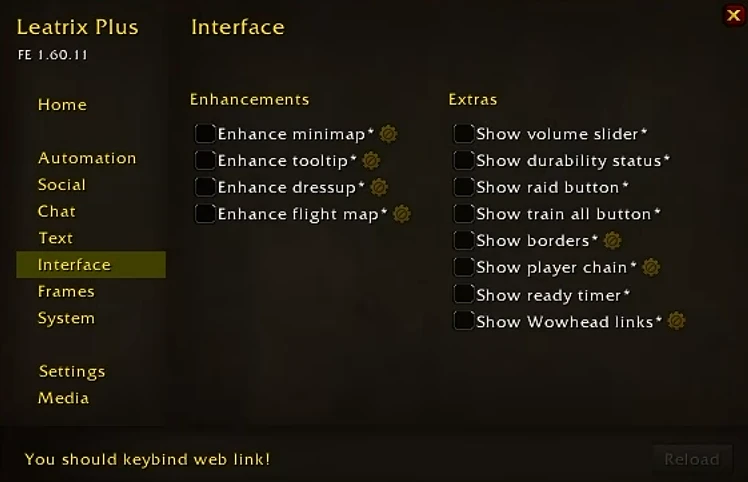 The Interface tab in Leatrix Plus. Every tick box is a small improvement you can switch on and off.
Why we picked it: Leatrix fixes a lot of small things, without you having to download a separate addon for each one. We’re talking everything from accepting quests and blocking invites and duels to repairs. Simply put, it’s an addon I recommend you download, and then see what you end up using. There’s so much small stuff in here that makes life a lot easier.
Forever Loot Sparkles
- QoL
- Efficiency
How it works:
- Quest items always sparkle. Quest items don’t always sparkle in the game. With this addon, you can be sure they do.
- Herbs and ore sparkle too. The game can’t do that on its own. As you approach a node, golden glints appear. They’re dim when you’re too far away, bright when you can gather, and grey if your skill is too low. With Forever’s new graphics this is really handy, especially for herbs.
- Dead mobs with loot sparkle. After the fight, mobs that still hold loot for you sparkle – bosses included, which the game’s own effect skips.
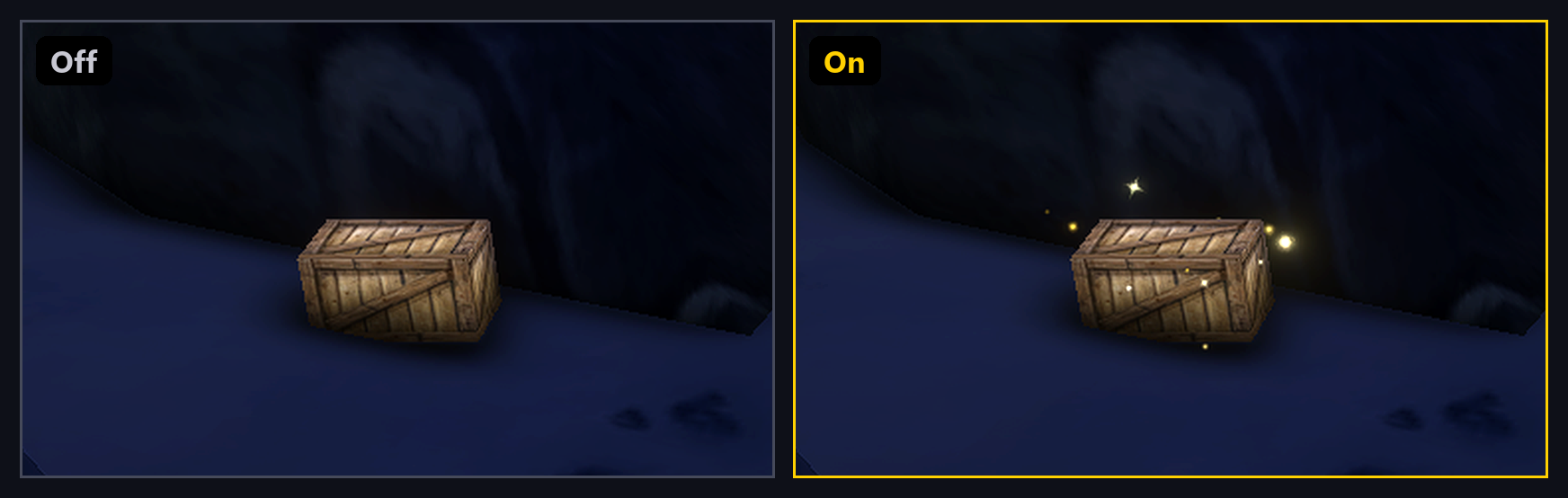 Screenshot: Forever Loot Sparkles by svengabr, licensed GPL-3.0.
Why we picked it: Not everyone has this problem, but objects can be hard to see now and then. This is a simple, neat fix. It’s also great when you’re grinding herbs or ores while watching a show or a movie, because you don’t have to stare at the screen looking for a tiny bush.
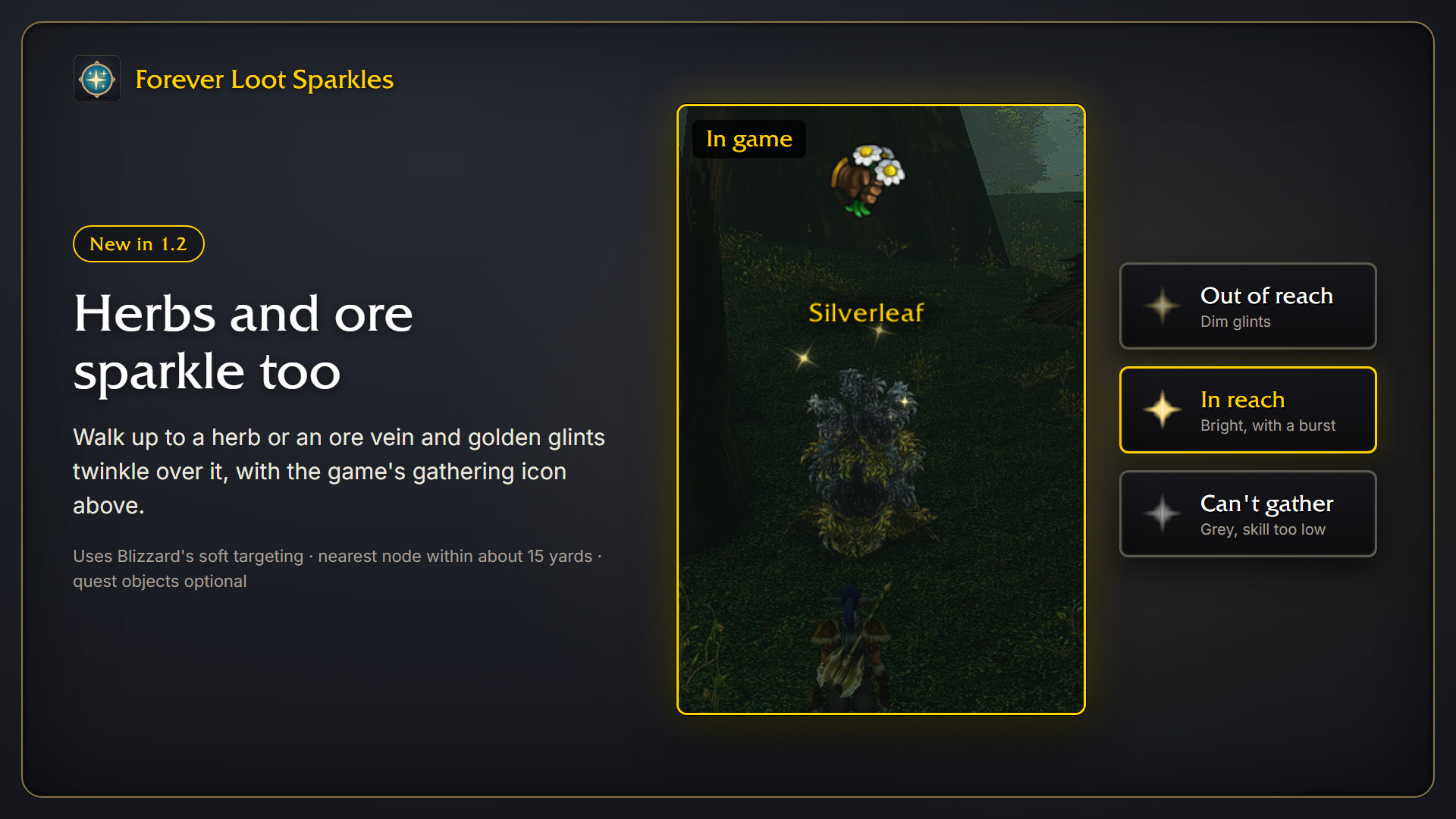 Screenshot: Forever Loot Sparkles by svengabr, licensed GPL-3.0.
Auctionator
- Efficiency
- QoL
How it works:
- See what your loot is worth. Auctionator shows Auction House prices right in item tooltips, so you can quickly check the value of gear, rare drops, crafting materials and other items you find while playing.
- Make gold with professions. Check what a recipe’s materials cost and compare it with the selling price of the finished item. That tells you whether buying materials on the AH, crafting and reselling is worth it.
- Find underpriced items. Compare current auctions with saved prices to spot items listed well below their usual value. Great if you like buying low and selling high, also known as auction flipping.
- Vendor or Auction House? Compare an item’s vendor value with its AH price. Sometimes selling straight to a vendor makes more sense than paying AH fees.
- Buy and sell faster. It’s easier to search for items, compare competing listings and post your own auctions without checking everything manually.
- Create shopping lists. Keep track of herbs, ore, leather and other crafting materials you buy often. Especially useful if you use professions to make gold.
Why we picked it: Auctionator is one of our picks for the best WoW Forever addons, especially if you want to make more gold through professions.
It’s easy to assume crafting makes you gold, but sometimes the materials cost more than the finished item is worth. Other times you can buy cheap materials on the AH, craft something and sell it for a nice profit. The same goes for gear and other drops: without Auctionator, it’s hard to know whether an item is worth a few silver or several gold unless you check the AH manually.
Auctionator makes it easier to make good decisions, whether you’re crafting, gathering, farming or just trying to get the most gold out of your loot.
Questie
- Efficiency
How it works:
- Quests on the map. Quest givers, objectives and turn-ins show up as icons on the map and minimap. Including quests you haven’t picked up yet.
- Automatic tracker. Quests you accept go straight into the tracker, so you can see what’s left.
- Quests by Zone. A list of every quest in a zone, split into completed and available. Perfect if you want to clear a zone completely.
- More than quests. Questie can also show innkeepers, mailboxes, the Auction House, spirit healers and profession trainers.
Why we picked it: If you want to get to level 60 as fast as possible, or can’t be bothered hunting for quests, this is the addon for you. The only downside is that it takes away the experience of exploring the world on your own and figuring things out yourself. Remember: you only get to level to 60 for the first time once.
Final thoughts
This is just the start. We’ll add more addons as we’ve tested them properly. Got a favourite we should look at? Let us know!